
 In today’s environment of mobile computing and the increasing integration of consumer electronics with the corporate network, it has become a necessity to plan accordingly in order to mitigate the risk this presents.
Whether it be an iPhone or guest laptop connecting via wireless or using an unused network port, brings new challenges to network administrators who need, not only be aware of what is on their network but also prevent an un-managed device from infecting other devices on the network.
The situation grows in complexity in higher education where the inherent open network environment becomes a juggling act balancing network security and open access. Students do not patch and fail to run current anti-virus.
Network Access Control, which is more commonly referred to by the acronym NAC, is the most hyped term in networking today. It’s also one of the least understood.
Network Access Control (NAC) is a computer networking solution that uses a set of protocols to define & implement a policy that describes how to secure access to a network nodes by devices when they initially attempt to access the network[citation needed]. NAC might integrate the automatic remediation process (fixing non-compliant nodes before allowing access) into the network systems, allowing the network infrastructure such as routers, switches and firewalls to work together with back office servers and end user computing equipment to ensure the information system is operating securely before interoperability is allowed.
The idea behind Network Access Control (NAC) is to implement a set of pre-admission rules and post-admission controls over where users can go and what they can do. Kind of like an in-versed firewall framework on steroids.
What’s important to understand is the Network Access Control (NAC) is not a device or appliance that is dropped in on the network, but rather a structure that needs to be deployed throughout the enterprise network.
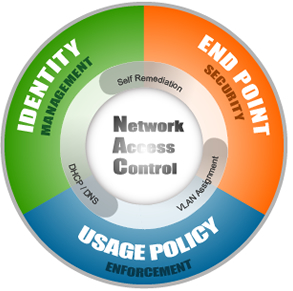
The goals that Network Access Control aims to address can be distilled into three categories.
- Identity Management – Which includes device registration, authentication and role based access.
- Endpoint Compliance – The ability to prevent devices that lack anti-virus, patches or host prevention software from accessing the corporate network to prevent putting other computers at risk.
- Policy Enforcement – Provides the ability to enforce company-specific policies in either block, notify or report mode and integration with other solutions to identify and disable unauthorized activities.
Different vendors take different approaches in order to accomplish these goals, were policies are enforced on a pre-admission vs. a post-admission basis, software clients are installed on the users computer vs. scanning those computers in an effort to gather information to automate decision making at the time the policy is enforced, and finally out-of-band vs. in-line solutions.
In 2005 I started experimenting with Network Access Control technology and came across an open-source solution called NetReg.
NetReg is an in-line, pre-admission, client-less Network Access Control solutions. The system sits between the users and the network. Identity management is accomplished by authenticating the user through a website against an LDAP server and storing in a database the username, the IP address assigned and the devices MAC address.
Endpoint compliance is achieved by 2 dynamic DHCP address pools; one for unregistered (unknown hosts) with non-routable IP addresses (network/Internet blocked) and the second for registered (known hosts) with routable IP addresses (network/Internet accessible). A bogus DNS server prevents users from accessing anything but certain websites where a user can download anti-virus and patches for remediation purposes.
Nessus vulnerability scanning software periodically scans devices to determine if these should be quarantined until they have met the established acceptable use policy. If a computer in the unregistered network is found to be non-compliant, it is notified and only when appropriate action has been taken will the computer be assigned a valid routable IP address. If the computer has already been assigned a valid IP address then it is blocked.
Some of the shortfalls of this approach were the inability to determine which patches were missing and firewalled clients are not checked.
Netreg which was originally developed by Southwestern University at Georgetown branched out into several versions and currently the only one being maintained is by Carnegie Mellon here.
Finally is important to note that there is no silver bullet when it comes to security and there are always ways to get around a system. A thought that came to mind was how these products deal with printers, VoIP phones, gaming consoles, etc, when it comes to registration and how by changing one’s MAC address to mimic a VoIP phone or printer vendor would bypass the authentication.
In researching when writing this blog, I came across another open source solutions started in 2007 called PacketFence which I will take a closer look at.
Major Commercial Solutions:
Open Source Solutions:
Sources:
Wikipedia
Gartner Market Scope for NAC 2008
[ad]
