
Sekiur My Thoughts

VoIP, Mobility, Security, Open Source, Science, Politics, and Technology.

Archive for September 15th, 2008

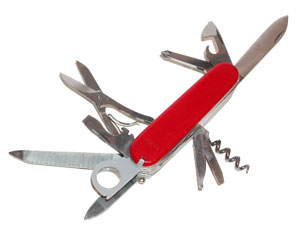
The Swiss Army Knife for Your PC

without comments

Great article at Lifehacker on Windows maintenance tools that anyone wanting to run a healthy PC should have installed.

Apart from CCleaner, Revo Uninstaller, Auslogic Disk Defrag, and Spybot – Search & Destroy, I would also add some in case virus/malware/spyware removal is required. RootKitRevealer, Ad-Aware, ATF-Cleaner, Avenger, HijackThis and Trojan Remover.

Written by Jose Vicente Ortega

September 15th, 2008 at 2:29 pm

Posted in Technology

Tagged with , ,

Auto Records Keeping

with one comment

I usually have kept a record of my car’s records (fillups, oil changes and maintenance) since my first car using a notebook, an excel spreadsheet, paper trail in folders and more recently scanning those papers.

As the trend to move data more and more into the cloud becomes mainstream, a number of Web 2.0 sites focused on this particular niche have started to appear.

RepairPal and Driverside have both taken upon the task of keeping your electronic records for your car. Additionally these sites serve to educate its users on how not to get ripped off when looking to get your car repaired. Members will also be able to rate those mechanics, see helpful tips and look at common problems related to that repair.

After looking at both of these and looking for the cars I own as well as the cars I’d like to buy, I must say that they both have their appeal.

Driverside has the most amount of users, which is important if you like to interact with other car owners and get their feedback on particular issues. It also has the most features like pre-populating your services for you to check off as they are due, as opposed to having to enter them like with RepairPal.

Now RepairPal is definitely much cleaner than Driverside which is rather busy, making it easier to navigate through as well as finding what a repair cost would be in your area or a specific part.


Written by Jose Vicente Ortega

September 15th, 2008 at 1:18 pm

Posted in Technology

Tagged with , ,

A laptop and disaster recovery

with one comment

Over the last couple of years I have had several severe laptop failures, which have at least put me back a couple of weeks not to mention the hassle of re-installing the operating system and all the applications, which for me is in the 70s.

This time I took some action and looked into backing up all my data on a daily basis from my data partition and creating an image of my c partition on every major changes. (once a week or once every other week.)

Being able to boot my laptop with a CD or USB flash drive and plugin by FreeAgent Seagate to easily create an image was the goal. The gold standard in cloning drives is Symantec Ghost, which would not see my NTFS FreeAgent Seagate external usb drive no matter how much I tried. Several other commercial products including Acronis True Image, ImageCenter and Partition Saving and none of the above were up to the task.

Enter open source. SystemRescueCD is Linux system on a bootable CD-ROM for repairing your system and recovering your data after a crash.

Going a little bit further I was able to put SystemRescueCD which comes with a great number of drivers that will recognize literally anything on a flash drive.

After booting from the usb flash drive with SystemRescueCD, I started an Xwindows session by typing startx at the prompt.

Then the time came to mounting my external usb drive and imaging the C partition.

  • lsusb (to list all USB devices)
  • dmesg | grep -i “SCSI” (which would give you a list of devices attached to the laptop, in my case the Freeagent Seagate usb external drive – in my case sdb1)
  • mkdir /seagate (create a mount point for the usb external drive)
  • mount -t ntfs-3g /dev/sdb1 /seagate (mount the ntfs external usb drive with read/write permissions)
  • partimage (this launches the cloning application which allow you to create an image of the C partition)
  • umount -f /seagate (unmounting the external drive or any other drive for that matter in a linux/unix environment is extremelly important before unplugging)

Now to schedule my data backups on a daily basis with SyncBack.

Written by Jose Vicente Ortega

September 15th, 2008 at 9:57 am

Posted in Technology

Tagged with , ,